
Testing the Door Sensor for a Low Battery
In order to monitor, open, and close your garage door using the myQ app and a Wi-Fi hub, a myQ door sensor (included with all hubs) needs to be mounted to the inside top panel of the door. For those with more than one garage door, additional door sensors are available for purchase.
Test the Door Sensor
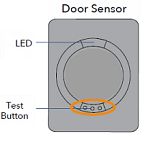
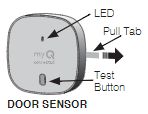
- To test the door sensor, press the "Test" button.
- The LED light should blink.
- Original myQ Smart Garage Hub and Smart Garage Control sensors have a red LED light.
- myQ Garage door sensors have a yellow LED light.
- Replacement sensors have a red LED light and work with all myQ hubs.
- If the LED blinks after pressing the button but the issue persists, the battery may be low preventing the sensor from communicating with the hub and need to be replaced.
- If the LED doesn't blink, replace the battery
myQ Garage and Smart Garage Hub
Door Sensor
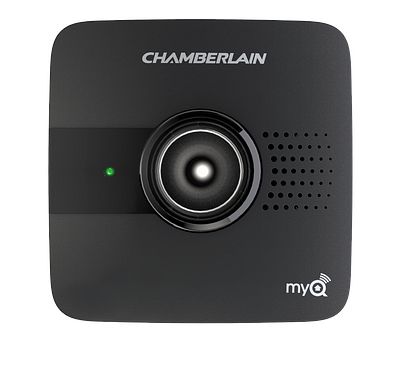
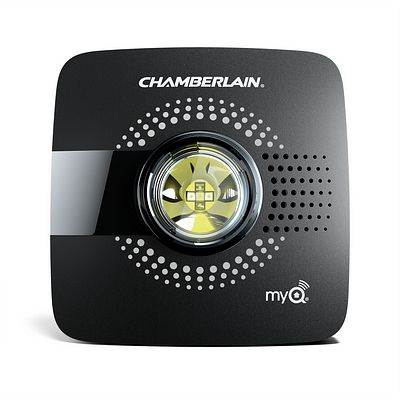
Smart Garage Control
Door Sensor
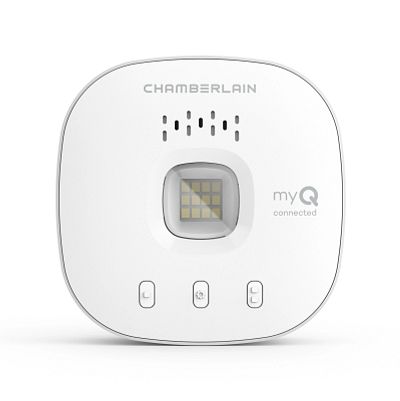
No LED Light During Testing
Follow the steps below if the LED light on the door sensor did not blink when you pressed the test button.
- Make sure you remove the pull tab from the door sensor.
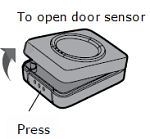
- Open the door sensor by pressing the button on the bottom and pulling the front cover off.
myQ Garage and Smart Garage Hub
Smart Garage Control
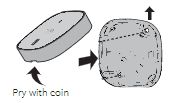
- Slide the battery out to make sure that the pull tab didn’t break off under the battery or that there is no residue on the battery. After you confirm, put the battery back in.
- Close the door sensor and press the test button, if the LED still does not come on replace the battery. If the LED blinks, test for a low battery. The battery is a 3V lithium battery size CR2450.
Low Battery in Door Sensor
The myQ Garage, myQ Smart Garage Hub, and Smart Garage Control all come with a door sensor. This door sensor communicates with the hub and reports the position of the garage door. If the battery in the door sensor is low or the door sensor is not working, below are some of the issues you may experience.
- May not be able to pair the garage door opener to the hub
- Garage door may not activate through the myQ app
- May receive false alerts from the myQ app
- The myQ App may report an incorrect door status
Test for Low Battery
- Press and release the test button
- The hub should beep.
- Wait 5-10 seconds, then repeat the process five more times. (Press, beep, wait, and repeat).
- The hub should beep with each press. (If you don’t wait 5 seconds you may not hear a beep.)
If you don’t hear a beep with each press, replace the battery (3V lithium, size CR2450).
Replacement door sensor
If replacing the battery does not resolve the issue, replace the door sensor.
- Chamberlain - myQ-G0402MC
- LiftMaster - 821LMC-SENSOR
For more help with, please reference the videos below.
myQ Garage and Smart Garage Hub
Smart Garage Control


