Improve myQ Device Wi-Fi Signal Strength
If your myQ device isn't getting a good Wi-Fi signal or you're experiencing a bad connection in your garage, here is what you can do:
Your myQ Wi-Fi product must be within 50 feet of your router. If the Wi-Fi signal in the garage is weak, try moving the router closer to your garage to minimize interference from walls and other objects.
Quick Wi-Fi Tips
Upgrade Your Router
Wi-Fi Strength and RSSI
Recommended Router Settings
Wi-Fi Extender
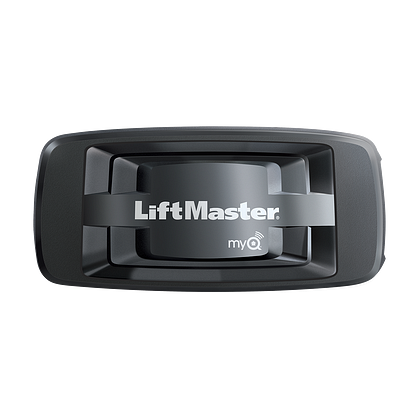
Internet Gateway (828LM)
Tips to Boost Wi-Fi Signal
-
Power cycle your router by unplugging it from its power source, and re-plugging it back in
-
Move your router closer to your garage
-
Move your router off the ground to a higher location above 6 feet
- Turn off Wi-Fi Assist
-
See article :How to Turn Off Wi-Fi Assist on a iPhone
-
-
Switch your myQ device to a 2.4 GHz network through your router settings
-
Switch all other devices to a 5 GHz network through your router settings
-
Use a Wi-Fi extender
-
Note: Never put a Wi-Fi extender in the garage
-
- Some routers have the option to broadcast on alternative "channels". Check your router's manual for more information We recommend using channels 1, 6, or 11.
Upgrade Your Router
Many older routers do not support modern device requirements. Most routers need to be replaced every 3-4 years to be up to date with communication with the latest technology. If your Wi-Fi signal strength is strong, but you’re having issues maintaining a connection to your myQ device, the solution may be to replace and upgrade your router.
Check with your internet service provider if:
-
LED light in your router is flickering
-
LED on your modem is off
Contact your internet service provider for options.
Wi-Fi Strength and RSSI
RSSI is a measurement of your Wi-Fi strength, showing how strong or weak your Wi-Fi’s radio waves are. The measure goes from -70 (being the weakest) to -50 (being the strongest). A weak RSSI will cause bad communication between your myQ device and your router. The stronger your RSSI, the better your Wi-Fi Connection.
Causes of weak Wi-Fi Strength & RSSI
- Your router is too far from your garage
- Obstructions between your router and myQ device
- Walls and floors
-
Interference from other electronics
-
Electronic signals from other devices can interfere while your router is trying to communicate with your myQ device
-
-
Multiple devices connected to your router
-
Outdated router
Testing and Improving your Wi-Fi Strength
Recommended Router Settings
You may need to make adjustments to the Wi-Fi settings in order to successfully connect the device. When a device is successfully connected, the LED light will turn solid green. For some settings, you may need assistance from your Internet Service Provider (ISP), router manufacturer, or IT department to have them configured for your site or home.
See article: When to Contact Your Internet Service Provider (ISP)
See article: Recommended Router Settings for the myQ Wi-Fi Products
Wi-Fi Extender
If you are still experiencing issues with a low signal, another option is to get a Wi-Fi extender.
The best location to install a Wi-Fi extender is halfway between the router and myQ device. You must also make sure that the extender is within range of your router to send the signal.
Internet Gateway (828LM)
If you have a Chamberlain or LiftMaster Wi-Fi garage door opener that has difficulty staying connected to your home network you can purchase an Internet Gateway (828LM). The internet gateway connects directly to a router with an Ethernet cable and transmits a signal that connects to myQ devices 300-600 ft. away. This option takes the place of the built-in Wi-Fi of your garage door opener.