
Smart Garage Hub | Unable to Connect to Wi-Fi and There Is No LED
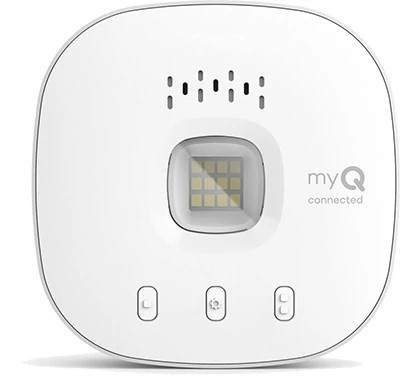
This guide will help you troubleshoot situations where your Smart Garage Hub or Smart Garage Control won’t connect to Wi-Fi and there is no LED light showing on the device. When the hub is powered and operating normally, the LED will go through a series of blinks before turning solid green to confirm a successful connection.
If the LED does not light up at all, the hub may not be receiving power.
Before You Begin
- Check to see if the app has provided any Error Codes.
- If yes, see myQ Error Codes and How to Resolve Them.
- A ladder may be required to complete troubleshooting.
Troubleshooting Steps
- Disconnect then reconnect the power cord from the electrical outlet and the back of the myQ hub.
- Confirm the status of the LED.
- If the LED is blinking blue, see: Unable to Connect a myQ Smart Garage Hub to Wi-Fi and LED Light Blinking Blue.
- If the LED is solid green, the myQ hub is online. Verify the device is working in the myQ app.
- If there is still no LED, continue to step 3.
- Test the outlet power by plugging another appliance into the same outlet and verifying if it powers on.
- If you are unable to establish power at the outlet, we recommend contacting a certified electrician and trying a different outlet for the myQ device.
- If the hub powers on with a different outlet and does not result in a solid green LED, see: Unable to Connect a Smart Garage Hub to Home Wi-Fi Network Overview.
- If there is still no LED, continue to step 4.
- Perform a factory reset.
- See: How to Factory Reset a myQ Device.
- When the LED begins blinking blue, see: Unable to Connect a Smart Garage Hub to Wi-Fi and LED Light Blinking Blue.
- If the hub continues to not power on, replace the myQ hub.
Additional Troubleshooting
-
If you see an error in the app or if the LED light blinks another color, go to the matching guide in the chart listed here:
Smart Garage Hub | Device Shows Offline or Unable to Connect to Wi-Fi
Video Guide

Find Help By Product 

View More Brands

