
How to Identify the Color of the Learn Button on Your Garage Door Opener
The Learn button on your Chamberlain® garage door opener plays a key role in pairing remotes, keypads, and smart accessories. Its color identifies the opener’s radio frequency and technology.
Over time, the Learn button color may fade, making it difficult to determine which accessories are compatible. This guide walks you through multiple ways to accurately identify the Learn button color even when the color is unclear or the button is hard to access.
Supported Learn Button Colors
We currently support openers with the following Learn button colors:
- Green
- Red / Orange
- Purple / Brown (faded purple)
- Yellow
- White
If your Learn button looks unfamiliar, fading is often the cause. For example:
- Purple may appear brown
- Red may appear orange
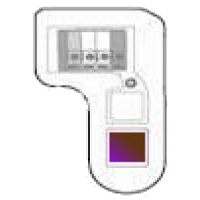
Ways to Help Verify the Learn Button Color and Radio Frequency
1. Locate the Learn Button
Look for the learn button on the same side of the opener where the wires from the door control and safety sensors connect.
If the button is difficult to see or faded, use the chart below to help match the color based on:
• Antenna wire color
• Technology type
• Radio frequency
• LED color next to the button
• Approximate year of manufacture
• Antenna wire color
• Technology type
• Radio frequency
• LED color next to the button
• Approximate year of manufacture
Learn Button Identification Chart
| Color of Learn Button | Color of Antenna | Technology | Radio Frequency | Color of LED next to Learn Button | Year of manufacture |
Accessory Replacement |
|---|---|---|---|---|---|---|
| Yellow (square)* | Gray | DIP Switch | No longer supported | Red | Prior to 1993 | N/A |
| White* | Gray | DIP Switch | No longer supported | Red | Prior to 1993 | N/A |
| Gray* | Gray | DIP Switch | No longer supported | Red | Prior to 1993 | N/A |
| Green* | Gray | Billion Code | 390MHz | Green | 1993 - 1997 | Universal Only*** |
| Red/Orange* | Gray | Security+ Rolling Code | 390MHz | Amber/Yellow | 1997 - 2004 | Universal Only*** |
| Blue** | Gray | Security+ Rolling Code | 433MHz | Amber/Yellow | 1997 - 2014 | N/A |
| Purple/Brown* | Purple | Security+ Rolling Code | 315MHz | Amber/Yellow | 2005 - 2014 | Universal Only*** |
| Yellow (round) | Yellow | Security+ 2.0 (Rolling Code) | 310, 315 & 390MHz | Amber/Yellow | 2011 - 2022 | Universal Only*** |
| Yellow (round) with Step Saver Set Up label | Yellow | Security+ 2.0 (Rolling Code) | 315 or 390MHz | Amber/Yellow | 2022 - 2025 | Universal Only*** |
| White (round) | White | Security+ 3.0 (Rolling Code) | Bluetooth | Amber/Yellow | 2025 - Present | All*** |
- * Discontinued
- ** Discontinued. This was a replacement logic board with an alternate frequency.
- *** See support articles: LiftMaster or Chamberlain Remote Control and Keyless Entry Compatibility.
2. Check the Antenna Wire Color
- When the learn button cannot be accessed, the color of the antenna wire can also help to identify era and technology. The antenna wire will be hanging from the logic board side of the garage door opener.
3. Check the Logic Board Part Number
- Some logic boards may no longer be available, but the part number can still confirm the opener’s frequency.
- The part number is located on the side of the opener where the wires from the door control and safety sensors are located, same side as the openers learn button.
- Search our website for the part number and it will provide the radio frequency of the garage door opener (390MHz, 315MHz, or 310, 315, and 390MHz). Use the chart above to locate the frequency and the color of learn button.
4. Locate the Model Number and Owner's Manual
- To locate the model number, see article Locate Model Number for visuals on where your model number label may be located.
- The model number on a garage door opener can be found on the opposite side of the antenna. Pull the light lens cover down and you will see the model number on a label next to the light socket.
- Once you have your model number, use the search bar to locate the owner's manual to order parts or accessories.
Note: If you need help with the myQ app, please reference the following articles: Monitor Door Only Mode, Unable to Pair Garage Door Opener to myQ Device

Find Help By Product 

View More Brands

