
myQ Video Keypad Not Connecting to Wi-Fi and LED Not Lit
When attempting to connect a myQ Video Keypad to Wi-fi, the LED indicator light will go through a sequence of flashes. Each step of the sequence indicates what the camera is attempting to do. Troubleshooting depends on the LED light's behavior and color.
When the LED on your Video Keypad is not lit, this indicates it's either in sleep mode or there is no power to the device.
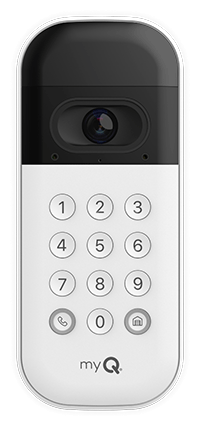 myQ Video Keypad Won't Connect to Wi-Fi and LED is Not Lit
- Verify that the myQ Video Keypad is not in sleep mode.
- Sleep mode can be deactivated when the camera detects motion and by viewing the camera feed in the myQ App.
- Sleep mode can be deactivated when the camera detects motion and by viewing the camera feed in the myQ App.
- Check the battery to ensure it is properly seated.
- Charge the battery.
- See Install and Remove the Battery on the myQ Video Keypad.
- Once the battery has been uninstalled, see: How to Charge the myQ Video Keypad Battery.

Find Help By Product 

View More Brands

