
How to Set Up the myQ Smart Garage Camera in the myQ App
Follow these steps to set up your myQ Smart Garage Camera in the myQ app. You’ll need a strong Wi-Fi signal and Bluetooth enabled on your mobile device to complete setup.
Before You Begin
Make sure you have the following:
-
A smartphone or tablet
-
A 2.4 or 5 GHz home Wi-Fi network
-
A strong Wi-Fi signal where the camera will be mounted
-
Your Wi-Fi network name and password
-
Bluetooth enabled on your mobile device
Check the LED on the camera:
The LED should be blinking blue.
-
If it's not blinking blue (or is flashing blue/green), unplug and reconnect the camera’s power supply.
Note: The myQ app supports more than one Smart Garage Camera. Follow these setup steps for each camera and give each a unique name for easy identification.
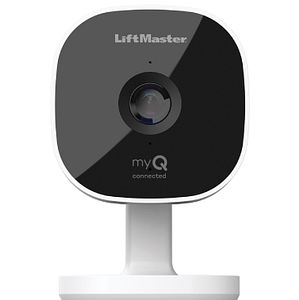
Set Up the Camera in the myQ App
- Open the myQ app.
- Access Account Menu:
- If your app shows Menu in the bottom right corner, tap Menu.
- If your app shows your Initials in the top left corner, tap your Initials.
- Tap on the Plus (+) Sign or Add a new device.
- Tap Video Solution.
- Tap Garage Camera.
-
On the What You Need screen, check off each item, then tap Next.
If Bluetooth is not enabled, the app will prompt you to turn it on.
- Plug in the Smart Garage Camera and tap I'm Ready.
- Tap pair to allow Bluetooth pairing.
- Tap your Camera on the Discovered screen.
- Select your home Wi-Fi network from the list.
- Enter your network password and tap Next.
- Name your Smart Garage Camera and select where it will be located in your home. Tap Next.
- Tap Finish and enjoy your new Smart Garage Camera
Tip
During setup, monitor the camera’s LED status for changes. If setup fails, note the last LED status and refer to Unable to Connect the myQ Smart Garage Camera to Wi-Fi Overview for troubleshooting.


