
How to Troubleshoot a myQ Internet Gateway with a Solid Green LED
The myQ Internet Gateway requires an internet connection to your router through an ethernet cable to access the myQ server. Once the Internet Gateway is connected, it allows compatible residential, commercial, and gate operators to activate via the myQ app.
The LED status can be found on the front of the device on the same side as the myQ branding.
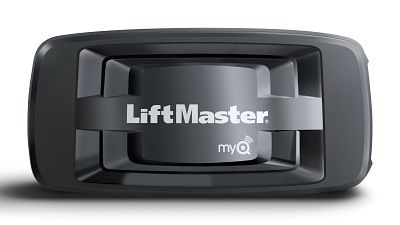
Note: myQ devices can only be added to one primary account but can be shared through our myQ Users feature. If you have already added the device to an account, we recommend inviting users for shared access. See Add Another User to Your myQ Account Using myQ Users.
Things to Consider:
- Verify compatibility per the opener type.
- For residential garage door openers, see myQ Compatibility Chart.
- For commercial and gate operators, see How to Identify Gate and Commercial Door Operators Compatible with myQ Technology.
Troubleshooting a Solid Green LED on an Internet Gateway
A solid green LED indicates that the Internet Gateway is connected to the Internet and to our servers.
- If your Internet Gateway has a solid green LED, it is ready to be added to your myQ Account.
- See How to Setup an Internet Gateway in the myQ App.
- If you get an Error 310 or if the app states that device is on another user's account during the setup, proceed to step 2.
- Perform a factory reset to clear all settings.
- Once the factory reset is complete, follow How to Setup an Internet Gateway in the myQ App to set up your device.

Find Help By Product 

View More Brands

