
What the LED lights on the myQ Internet Gateway Mean
The myQ Internet Gateway needs to be connected to your router through an ethernet cable to access the myQ server. This connection allows you to control compatible residential, commercial, and gate operators to activate via the myQ app.
If the myQ Internet Gateway is not connecting to the server, the issue could be due to the router, modem or Internet connection.
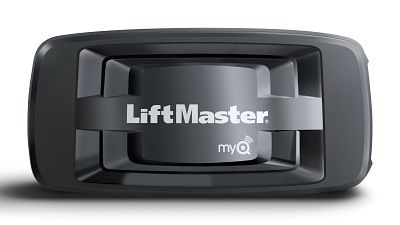
The LED Lights on the Gateway indicate the status of the connection and can help diagnose any issues. The LED status can be found on the top side of the device where the brand is seen. See below to find out what the different LED lights mean and how to troubleshoot them.
Things to Consider:
- Verify compatibility per the opener type.
- For residential garage door openers, see myQ Compatibility Chart.
- For commercial and gate operators, see: How to Identify Gate and Commercial Door Operators Compatible with myQ Technology.
- Confirm if the app has provided any Error Codes.
- If yes, see myQ Error Codes and How to Resolve Them.
- The Internet Gateway will not work with Dial-up connections.
- You may have issues connecting using hotel networks.
LED Light Indicators for Internet Gateway Only (uses a wired ethernet cable)
Green LED light indicates that the Gateway is connected to the Internet.
- LED is off - no connection to the router.
- LED is blinking - router has been found but there is no internet or server connection
- To troubleshoot a blinking Green LED see: How to Resolve Issues with Flashing Green Light on the Gateway
- LED is solid - normal (Internet is on and server is connected)*
- To troubleshoot a solid Green LED see: How to Troubleshoot a myQ Internet Gateway with a Solid Green LED
Blue LED light is for learned/ connected myQ Devices.
- LED is off - no myQ devices have been learned or are connected.
- LED is on - at least one myQ device has been learned or connected to the Gateway**
Yellow LED light indicates that the Gateway is in learn mode.
- It replaces the Blue LED while in Learn Mode.
- LED is off - working normally
- LED is on - the Gateway unit is in learn mode
No LED light
- Indicates there is no power going to the device or there is an issue with the ethernet cable connection to the router.
- To troubleshoot an issue where there are no LEDs see: How to Troubleshoot a myQ Internet Gateway with No LED
Note:
- Both the Blue and Green LEDs will blink simultaneously during reset.
- The green LED will blink twice per second during the firmware upgrade process.
- There is a three-minute recurring auto reset if no server connection.
**May stop blinking briefly due to data traffic.


